

Switching browsers might feel as thrilling as reorganising the stationery drawer, but hear me out: Ecosia isn’t just another web browser and search box with pretty trees on the homepage.
For small business owners who care about privacy and want to do something genuinely green without a lengthy sustainability programme, Ecosia offers a neat one-two punch with their web browser and search engine — better privacy defaults than Chrome/Google search and an actual funding stream for planting trees.
Privacy
Chrome’s parent company Google lives on advertising data; that business model means heavy tracking by default. They want you logged in to their browser, using their search engine and using their email- so they can sell you things.
Ecosia, by contrast, is built around privacy-first principles. It doesn’t sell your data, and it anonymises searches before using them to show ads. For a small business, that simple difference can reduce the chancs of your data being scooped up and used in ways you can’t control.
Using Ecosia’s browser and search engine aligns your everyday tools with the privacy commitments you might make publicly — and customers tend to notice when your actions match your values.
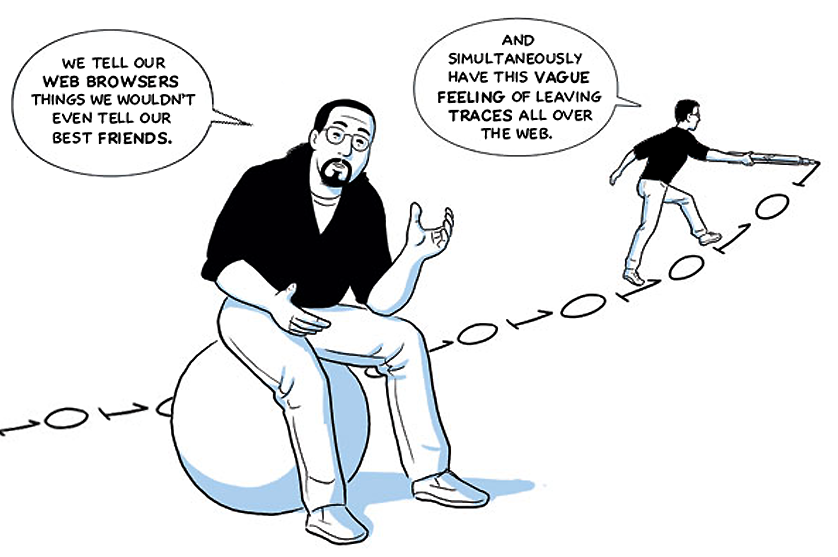
Image courtesy of this website, that describes the privacy nightmare of Google Chrome as a comic https://contrachrome.com/comic/page01/
Sustainability impact
Planting trees while you search Ecosia donates a large share of its profits to tree-planting projects. Each search contributes a tiny amount to that pot; scaled across millions of users it becomes meaningful. For small companies that want to show environmental concern without launching a full CSR department, using Ecosia is low friction and easy to explain:
“We use a web browser and search engine that helps plant trees.”
That line is far more digestible than a multi-paragraph sustainability report.
It’s worth being realistic: switching to Ecosia isn’t going to offset your entire carbon footprint overnight. But it’s a practical, verifiable action that demonstrates intent. If you pair it with other measures — reduced business travel, sustainable suppliers, green web hosting — Ecosia becomes part of a credible sustainability narrative.
Brand values
Small choices, big signals Consumers and clients increasingly expect businesses to think about both privacy and the environment. Using Ecosia can be a small but visible signal: a line on your website, a note in your email signature, or a social post about the simple changes you’ve made. It helps differentiate you from competitors who only pay lip service to these topics.
Ecosia are a non-profit and they pay their fair share of tax – which is more than can be said of most Big Tech companies.
Operationally, Ecosia works where you already work. The web browser is free to download and the search engine is available as a browser extension and a mobile app, and the search results are comparable to mainstream engines for everyday business needs. There may be occasional quirks or slightly different ranking results, but for most SMEs the trade-off is negligible compared with the privacy and eco upsides.
Addressing common objections
“I won’t know how to use it!”
Ecosia browser is almost identical to Chrome, as they are both based on the same open source project. Bookmarks, extensions, it’s all the same. The search engine is literally a box on the screen.
“What about performance?”
Ecosia’s search is fast; you won’t notice a slowdown for routine queries.
“Do I lose functionality?”
Most of the features people rely on are still there; if you use specialised Google-only products internally, keep them, but consider Ecosia for general web searches.
“Is it genuine?”
Ecosia publishes financial reports and transparency documents showing where revenue goes; it isn’t a marketing stunt.
How to switch
Make it a default browser on your computers, add it to your onboarding checklist, and mention it in your sustainability blurb. Keep it optional for staff who need Google-specific tools, but encourage everyone else to switch — and track uptake as a small, measurable sustainability KPI.
If staff report different search results or missing features, have a dual-browser setup: you could keep Chrome for Google-only tools and set Ecosia as the default for everyday searching — that fixes friction without undoing the privacy and eco wins.
Summary
The benefits of switching from Chrome & Google Search to Ecosia browser & Ecosia search include privacy wins and creating a positive impact. Switching is free and easy and you can keep Chrome around like an old pair of (privacy invading) shoes if you want.
Why not try Ecosia for a month and see which side of the stationery drawer you end up on?