

WordPress and WPEngine have been having a playground fight lately and it’s tipped me over the edge looking for alternative content management systems. I’ve always hated the Gutenberg editor that comes with WordPress and turn it off for our site builds, and wished Automattic would release a lightweight developer edition of WordPress.
What is ClassicPress?
I remembered the ClassicPress project so checked it out again over the Xmas break. WordPress is ‘open source’ which means anyone can copy the code and make their own version – this is called a ‘fork’. ClassicPress is a fork of WordPress by a mature, stable team that removes all the old junk from the codebase and strips out the Gutenberg editor.
ClassicPress is FAST and many WordPress plugins and themes will just work as it’s largely the same, but more streamlined code. I switched a couple of my own simple sites over using their great migration plugin and it went very smoothly.
I want to support ClassicPress so as well as donating to the project I want to create one or more Open Source themes for people to use.
Archetype for ClassicPress
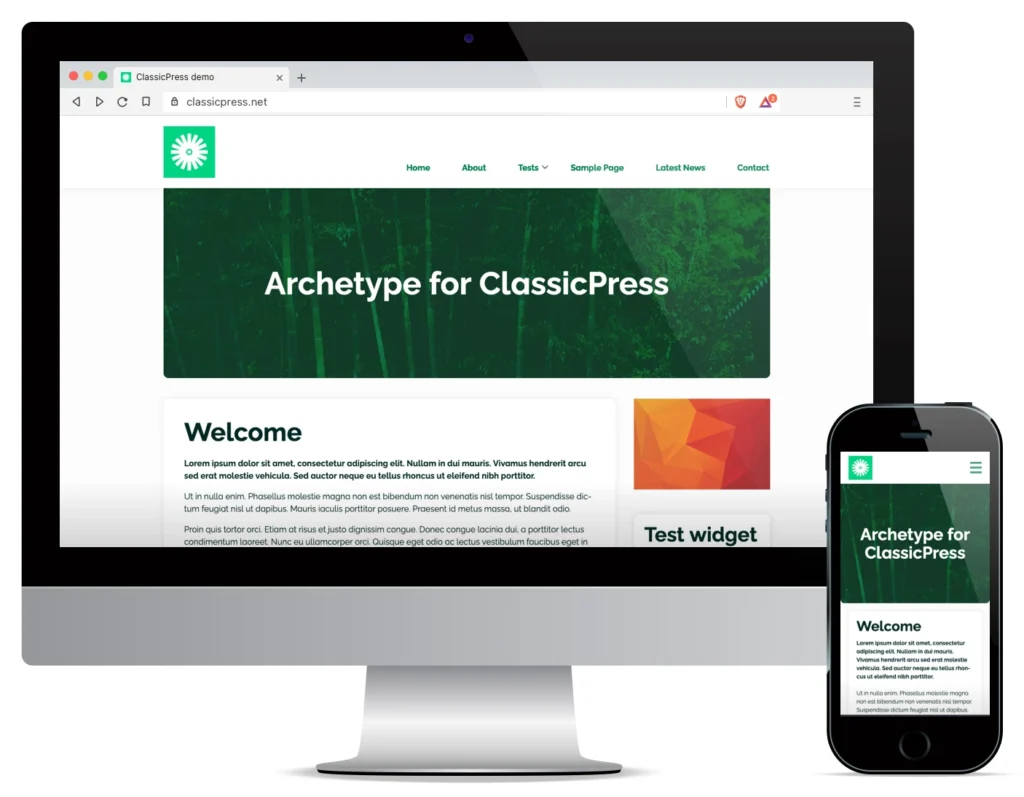
My first theme is called Archetype and is based on the same code I used for this site. It’s a blog style theme for ClassicPress with sidebar and full width page templates. Adding a featured image to a page will show it as a banner, and adding a caption will add text over the banner. Some features include:
- Basic accessibility with keyboard navigation, WCAG AA contrast ratios with it’s default colours, ARIA landmark roles and ARIA menu attributes
- The customiser screen allows you to choose site colours and whether to show a header logo, or site title and tagline.
- Translation ready
- Adheres to WordPress Coding Standards
The ‘Style test page’ template allows you to see various included styles, utility classes and the grid system. Notifications and smaller and larger text can be set from the editor toolbar under the ‘styles’ dropdown. Breadcrumbs on single blog posts are built in and will display if enabled in SEOPress or YoastSEO.
Links
Archetype can be downloaded inside the ClassicPress dashboard or at https://directory.classicpress.net/themes/archetype/